AI jewelry ads can look expensive or fake within the same second. The difference is rarely the AI model alone. It is the workflow around the product photo: the reference you choose, the offer you test, the way you protect stone detail, and whether each variation is useful enough to learn from.
That matters for jewelry teams because the category is unforgiving. A ring can look larger than it is. A gemstone can drift from green to blue. A gold finish can turn plastic. At the same time, ecommerce teams need more creative than a studio day can usually produce. This workflow shows how to turn one product image into polished ad variations without losing the details that make the product believable. It is based on Videotok's latest public walkthrough on creating jewelry photos and ads with AI, then expanded into a repeatable process for ecommerce, dropshipping, and performance teams.
Start with a product truth, not a style prompt
The strongest AI jewelry ads begin before generation. Treat the original product photo as the truth source, then use references and prompts to build a selling scene around it.
Keep the product facts fixed
Write down the details the ad cannot distort: stone shape, metal color, clasp style, size relationship, chain length, engraving, and any legal claim you would not want AI to invent. This becomes your quality checklist after every generation.
For jewelry, accuracy is part of taste. A pretty image that changes a square-cut stone into an oval is not a usable ad. A lifestyle scene that makes a bracelet look twice its size creates the wrong expectation before a customer even lands on the product page.
Choose the ad job before the scene
Decide what the creative is meant to prove. A product photo for a PDP hero image has a different job from a TikTok hook, a Meta prospecting ad, a retargeting image, or a seasonal launch post.
Use an AI static ads workflow to research proven ads, test hooks, visuals, and offers, keep brand rules intact, and publish stronger social campaigns.
Use an AI static ads workflow to research proven ads, test hooks, visuals, and offers, keep brand rules intact, and publish stronger social campaigns.
Use a simple split:
Product clarity: show material, shape, scale, and finish.
Desire: show the piece in a gifting, outfit, occasion, or collection context.
Proof: show detail, craft, stone sparkle, packaging, or social proof.
Offer: show the reason to act now.
This is where Videotok fits naturally. You can start from the product ads workflow, use references to guide the output, then turn one product into several campaign-ready directions instead of one generic image.
Use references like an art director
The video walkthrough starts by browsing a curated inspiration library, choosing a category and reference, uploading a product image, then generating a new ad. That sequence matters. The reference gives AI a visible composition to follow, while the uploaded product photo keeps the asset tied to the real item.
The rule is simple: the product image provides truth, the reference provides direction, and the prompt provides constraints.
Build the jewelry ad set in controlled passes
Do not ask for twenty random "luxury jewelry ads." Build a small set of controlled variations so every result teaches you something.
Pass one creates the clean product stage
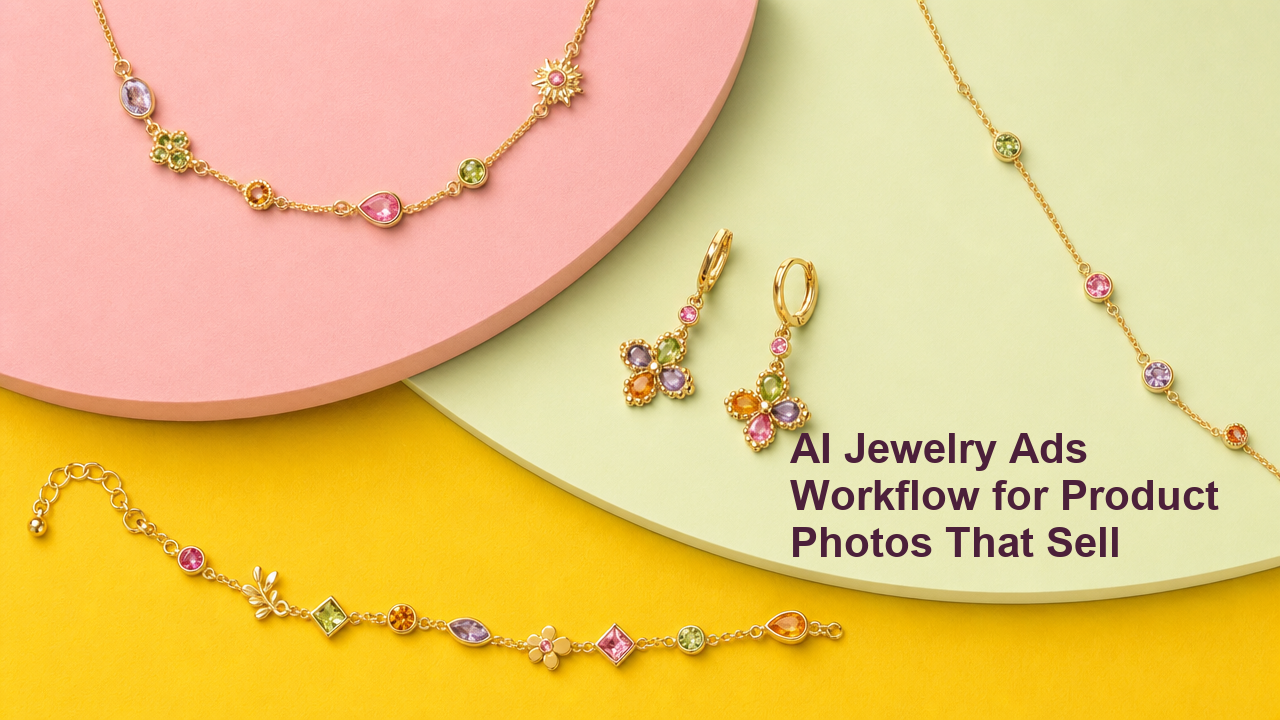
Start with a clean still life or product-stage visual. For jewelry, this usually means controlled light, a plain or lightly textured surface, and enough empty space for product focus. Avoid asking for too many props in the first pass.
Good first-pass directions include:
Minimal pastel product stage for earrings.
Marble tray with one ring and soft shadow.
Bright paper backdrop for colorful bracelets.
Packaging flat lay with one necklace and box.
These give you a reliable baseline before you add a person, hand, outfit, seasonal cue, or promotion.
Pass two tests hooks and offers
Once the product looks believable, vary the hook. In a static ad, the hook may be a visual promise rather than a line of copy: "gift-ready," "summer stack," "under 50," "new drop," "limited color," or "made for layering."
Connect this with a real testing loop. The AI hook generator can help turn one product angle into multiple first-line ideas, while the script generator can turn the strongest concept into a short video, creator read, or carousel structure.
For paid social, keep each variant tied to one variable. If you change the scene, product crop, offer, and copy all at once, you will not know what caused the lift.
Pass three formats the winners
The final pass is not just resizing. Convert the strongest creative direction into the formats the campaign actually needs: square feed image, vertical story, 9:16 video, product-card image, carousel slide, and marketplace-friendly crop.
This is where the workflow becomes faster than a one-off generator. Videotok is built around AI agents, image and video ad formats, brand setup, and social publishing, so the winning direction can move from image to video to scheduled content without restarting the creative process in five separate tools.
Protect jewelry detail while increasing speed
Jewelry is a hard category for AI because small visual errors are easy to miss at thumbnail size and expensive after launch.
Inspect metal, stones, and scale
After every generation, zoom in before you approve. Look for warped prongs, impossible chains, extra stones, changed cuts, melted clasps, mismatched earrings, or hands that make the product scale feel wrong.
The quality bar is not whether the image looks "AI-free" at first glance. The quality bar is whether a customer would recognize the same item when it arrives.
Keep brand rules close to generation
Use the Videotok brand kit to keep recurring visual rules close to the creative workflow: colors, tone, reusable visual direction, and brand consistency. That matters when a jewelry brand wants repeated drops to feel like one system rather than disconnected AI experiments.
Brand consistency is a performance feature. If every ad uses a different visual language, the audience has to relearn the brand each time.
Avoid invented product claims
Do not let the ad imply a material, certification, discount, origin, or gemstone type that is not true. This applies to image text, captions, scripts, and landing-page match.
Platform guidance backs this up. TikTok's Creative Center helps study current ad examples, and Google Ads gives specific guidance on image asset quality. Use those as inputs for structure and format, not as permission to copy another brand's creative.
Turn one jewelry photo into a campaign system
The advantage of AI is not "one nice ad in seconds." The advantage is building a repeatable creative system from a single product photo.
Make a small matrix
Use a four-cell matrix before generating:
| Angle | Visual proof | Best format | What to test |
| --- | --- | --- | --- |
| Gift-ready | Box, ribbon, handoff | Story or carousel | Occasion hook |
| Detail-led | Macro stone and metal | Static product ad | Trust and quality |
| Styling-led | Outfit or stack | Reel or carousel | Use case |
| Offer-led | Clean product and price | Feed or retargeting | Discount or bundle |
This keeps the AI workflow editorial. You are not asking for random beauty. You are building a campaign around buyer intent.
Move from image ads to motion
If a static jewelry image performs, the next step is often motion: a slow reveal, sparkle detail, hand movement, packaging open, or before/after transformation. Videotok's image ads and product workflows sit next to video creation, so a static winner can become an animated social ad instead of a separate production project.
The related Videotok guide on AI static ads workflow explains how to isolate hooks and offers before scaling creative. For moving product concepts, the AI product video workflow shows how product assets become social ad variants.
Publish with fewer handoffs
The final bottleneck is usually operational. Someone exports images, writes captions, names files, sends them for approval, uploads them to social platforms, then repeats the same loop for the next product.
Videotok is designed as a personal creative engineer for social content and ads: references, generation, editing, brand rules, and publishing live in one workflow. For jewelry teams, that means faster ad refreshes without turning every drop into a manual production cycle.
The practical checklist
Use this before you approve an AI jewelry ad:
The product shape, stone color, metal, and scale still match the original.
The scene supports one buyer angle, not five at once.
The format matches the channel where it will run.
The hook, visual, or offer is isolated enough to learn from.
The caption does not invent product claims.
The asset can become at least one follow-up format if it performs.
AI jewelry ads work best when the system is disciplined. Start with product truth, choose a reference, generate controlled variants, inspect detail, then move winners into the formats your campaign needs. That is how AI becomes a creative production workflow, not just a prettier prompt box.
Want to turn one product photo into a full jewelry ad set? Start the workflow in Videotok and build the first controlled batch before your next campaign review.
Use an AI static ads workflow to research proven ads, test hooks, visuals, and offers, keep brand rules intact, and publish stronger social campaigns.